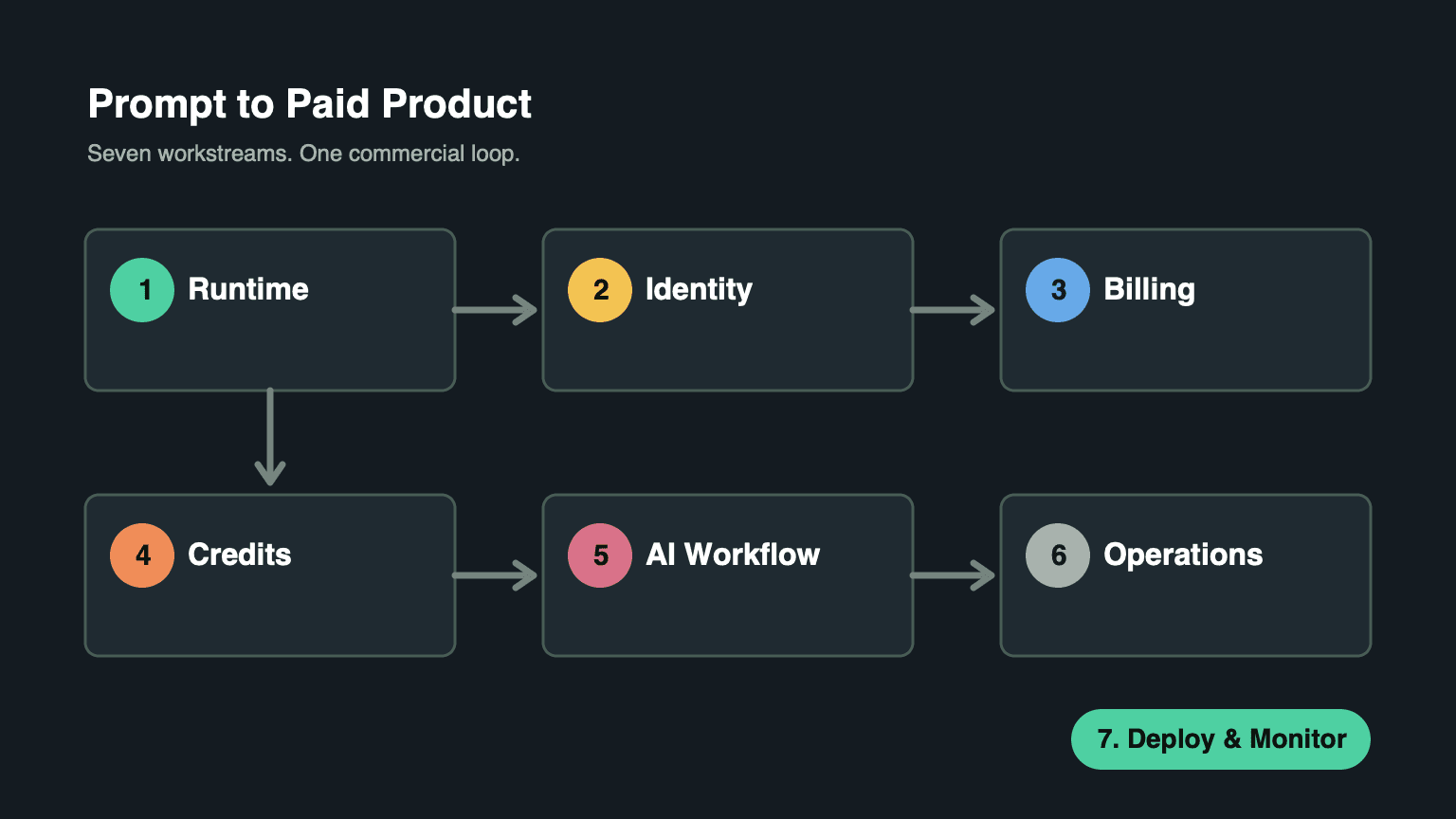
AI SaaS Launch Checklist: From Prompt to Paid Product
Turning an AI prompt into a paid SaaS is less about one perfect model call and more about seven connected workstreams. Use this checklist to avoid treating the model demo as the product.
1. Establish the Runtime Baseline
NimBuild Starter is pinned to Node.js, pnpm 10, PostgreSQL, Next.js 16, and React 19. Before adding product features:
node --version
pnpm --version
pnpm install
cp .env.example .env.local
Set at least the database URL, public app URL, Firebase client values, and Firebase service-account values. Then initialize the database:
pnpm db:push
pnpm dev
Do not begin customization until you can sign in, load a protected route, and run the database locally.
2. Make Identity and Product State Agree
NimBuild uses Firebase Google sign-in as the identity provider. After Firebase returns an ID token, the browser posts it to the session-login endpoint. The server verifies the token, creates an HttpOnly session cookie, and syncs the local PostgreSQL user row.
The local user owns product fields such as role, plan, credits, and ban status. Keep that split intentional:
- Firebase answers “who is this person?”
- PostgreSQL answers “what can this account do in this product?”
Cloudflare Turnstile is optional. Configure both the public site key and server secret if you want the Google button to appear only after a risk check.
3. Configure Commercial Billing Early
NimBuild uses Stripe subscription checkout. Replace the bundled Stripe Price IDs with your own IDs before accepting money.
The documented starter plans are:
| Plan | Price | Credits |
|---|---|---|
| Basic Monthly | $19 | 1,000 per month |
| Basic Yearly | $190 | 12,000 per year, granted monthly |
| Pro Monthly | $49 | 5,000 per month |
| Pro Yearly | $490 | 60,000 per year, granted monthly |
Then point Stripe’s webhook at:
https://your-domain.com/api/payments/stripe/webhookSignature verification and duplicate-payment checks must be part of launch, not a future hardening task.
4. Treat Credits as Product Accounting
A balance that only lives in the user interface cannot support support requests, refunds, or renewal disputes. NimBuild pairs a fast user balance with spendable buckets and an immutable ledger.
Before launch, verify that these reasons appear only where they belong:
registration_bonusdaily_grantsubscription_cyclesubscription_scheduleadjustmentrefundcredit_expiredai_generationai_generation_refund
Every grant, deduction, refund, adjustment, and expiry should be transactional and explainable.
5. Put the AI Workflow Behind Product Rules
NimBuild’s documented AI workspace uses Volcengine for AI copy generation, with credit deduction and generation history. Your product-specific workflow should answer:
- What input schema is accepted?
- Which role or plan can use it?
- How many credits does it cost?
- Is provider work started only after a successful deduction?
- What happens on timeout, invalid provider response, or partial output?
- Where is generation history shown to the user?
Keep provider calls in the provider extension and product workflow logic in feature or module boundaries. That makes it possible to replace Volcengine or add another provider later without rewriting billing and UI.
6. Add Operations Before the First Customer Issue
Your first support ticket will usually be one of these:
- “I paid but my plan did not update.”
- “I was charged but did not receive credits.”
- “The AI failed but my credits disappeared.”
- “Why did my promotional credits expire?”
NimBuild’s admin area covers users, subscriptions, credit adjustments, and ledger history. Before launch, test each question against those screens. If an operator cannot diagnose the event chain, the workflow is not ready.
7. Deploy With the Production Checklist
Minimum launch setup:
- Run database migrations.
- Configure the Stripe webhook.
- Schedule subscription grant and credit expiry cron routes.
- Create an admin account.
- Verify Firebase authorized domains.
- Configure Resend and its verified sending domain.
- Set Volcengine API credentials.
- Set the production app URL.
- Configure analytics only if you are ready to use the data.
For annual plans, configure an hourly call to /api/cron/subscription-grants. For expiring credits, schedule /api/cron/credit-expiry. Protect both with CRON_SECRET or basic auth.
Ship the Loop
A paid AI SaaS needs a closed loop: account, checkout, credits, AI work, history, operations, and renewal. NimBuild Starter exists so you spend your product time on the workflow customers pay for, without rebuilding the accounting and authorization system underneath it.