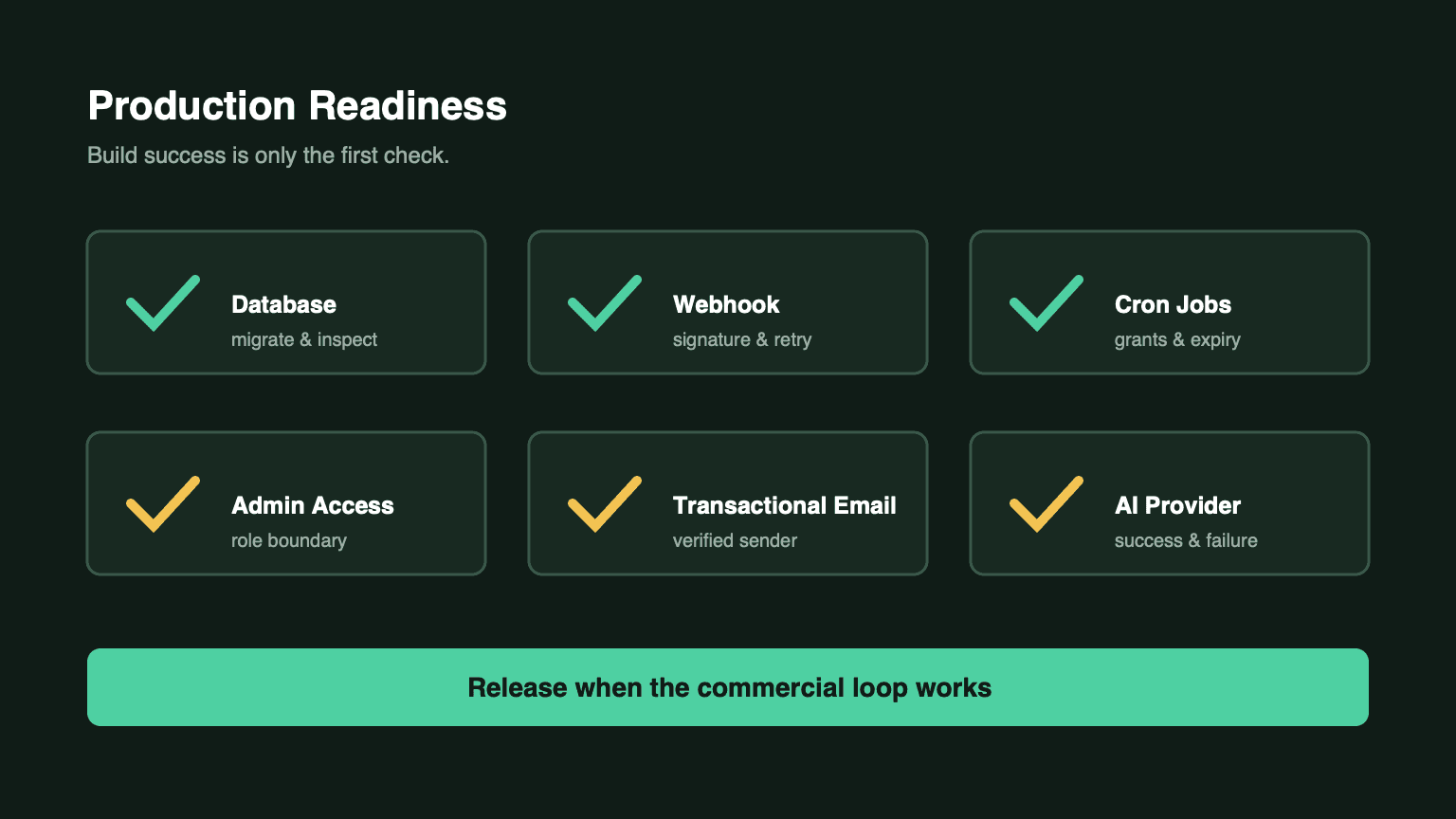
The AI SaaS Production Deployment Checklist
A production deployment is more than a successful build. For NimBuild Starter, these are the checks that determine whether authentication, billing, AI, email, and scheduled credits work after launch.
Prerequisites
Before deploying, prepare:
- PostgreSQL database
- Stripe account and API key
- Resend API key and verified sending domain
- Firebase project and service-account credentials
- Volcengine API credentials for AI tools
- Optional Cloudflare R2 or S3-compatible storage
1. Initialize the Database
After the first deployment, apply the Drizzle schema:
pnpm db:pushFor subsequent production schema changes, use generated migrations instead of treating db:push as an untracked manual change:
pnpm db:generate
pnpm db:migrate
Record which migration was applied to which environment.
2. Configure the Stripe Webhook
In the Stripe Dashboard, set the webhook URL to:
https://your-domain.com/api/payments/stripe/webhookThen configure the matching webhook secret. Send a test event and verify that payment, subscription, user plan, balance, and ledger records remain aligned.
3. Schedule Both Cron Routes
NimBuild needs two scheduled jobs.
Annual subscription installments:
curl -H "Authorization: Bearer YOUR_CRON_SECRET" \
  https://your-domain.com/api/cron/subscription-grants
Expiring credit buckets:
curl -H "Authorization: Bearer YOUR_CRON_SECRET" \
  https://your-domain.com/api/cron/credit-expiry
The subscription grant route is documented as hourly. Use CRON_SECRET or basic-auth credentials, and monitor non-success responses.
4. Create the Admin Account
ADMIN_EMAIL=admin@example.com pnpm admin:setupVerify that the account can view users, subscriptions, credit adjustments, and ledger history. Also verify a non-admin account cannot reach those routes.
5. Verify Identity Configuration
For Firebase:
- Enable Google sign-in.
- Add the production domain to authorized domains.
- Configure browser Firebase values.
- Configure the service-account values used by the server.
Then sign in from a clean browser session and confirm protected routes load through the server session.
6. Verify Transactional Email
Set:
RESEND_API_KEYRESEND_FROM_EMAIL- optional
RESEND_REPLY_TO
Verify the sending domain in Resend and send a real purchase or transactional test. Email delivery is part of the customer’s billing experience, not an optional nicety.
7. Verify the AI Provider
Set the Volcengine API key, base URL, and model values documented for the AI tools workspace. Then test:
- A successful copy generation.
- Credit deduction.
- Generation history.
- Provider failure compensation.
- An unaffordable request.
Do not claim the AI workflow is deployed until failures are as observable as successes.
8. Confirm the Production App URL
NEXT_PUBLIC_APP_URL must use the actual public domain. It affects metadata, canonical URLs, Open Graph, and URLs assembled by the application.
9. Configure Optional Controls
If you use them, configure:
- Cloudflare Turnstile keys
- Google Analytics
- optional storage provider credentials
If a control is intentionally disabled, document why so a later operator does not mistake omission for misconfiguration.
Final Post-Deploy Checklist
- Database migrated
- Stripe webhook configured and tested
- Subscription grant cron configured
- Credit expiry cron configured
- Admin account created
- Admin authorization tested
- Resend domain verified
- Firebase production domain authorized
- Volcengine credentials configured
- AI success path tested
- AI failure compensation tested
- Production URL correct
- Analytics keys configured if used
Deployment ends when the business loop works in production, not when the build command exits successfully.